



Year-End Closing in Business Central
The year-end closing is now underway, and it is helpful to have a guide on how this is done in Business Central.
To close the fiscal year, search for “Accounting Periods” in the search box.
Select a line within the fiscal year you want to close.
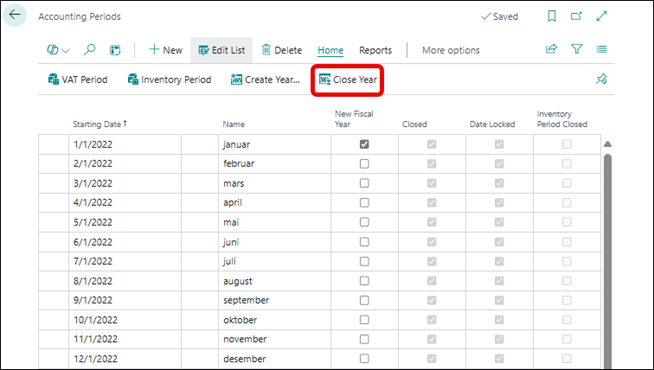
Click “Close Year,” and you will see this dialog box:
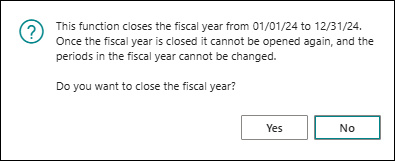
If you click “Yes” here, the year will be closed. It will not be possible to reopen the year, so the accounting should be completed.
The year is closed, and we can see this by the “Closed” field being checked.
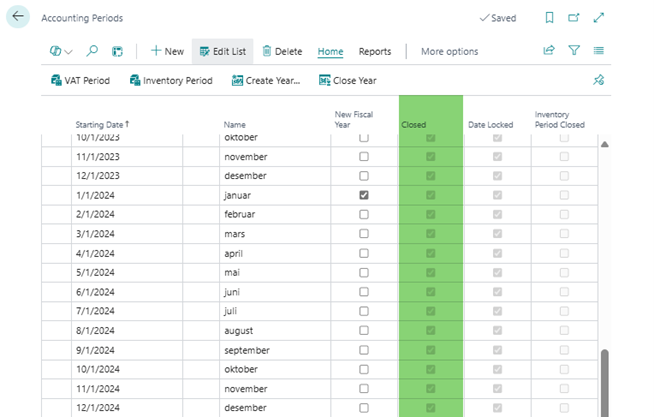
If corrections are needed, it is possible to post entries, but these will be marked as postings after closing, so they will always be identifiable.
Resetting and Transferring Operating Results to Next Year
After closing, we need to transfer the operating results to the next year. There is a specific task for this called “Close Income Statement” which you can find under search.
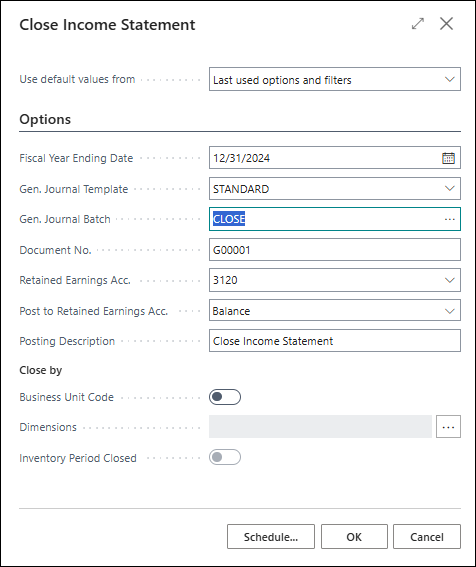
This page will appear:
I recommend creating a separate journal for the transfers.
The fiscal year is pre-filled. A financial journal template must be selected. Here, “Standard” is used.
I recommend creating a separate financial journal for the closing. Here, I have named the journal “CLOSE.”
We specify a voucher number and an equity account. We enter a posting description and click “OK.”
The run will create entries in the “CLOSE” journal.
Click “OK,” and this message will appear:
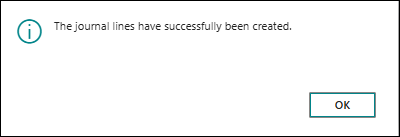
Click “OK,” and now there should be entries in the journal.
During the closing, the following should be created:
- A reset entry (balance with opposite sign) for each financial account with the type “Income Statement Account.”
- A summarized counter-entry with balances from the resetting accounts.
Then go to the role center under General ledger, find General journals, select “Standard” and then the “CLOSE” journal.
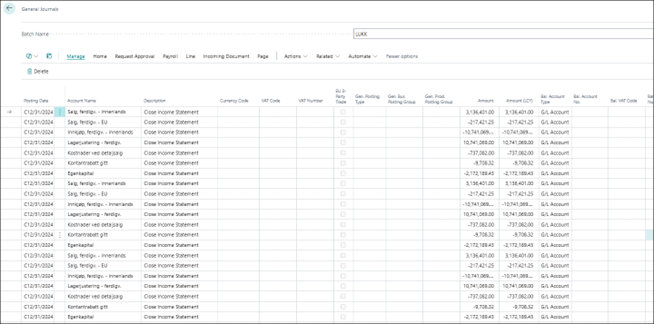
At the bottom, you will find the amount to be transferred. If there is a need to split the amount over several accounts, new lines can be created for this.
If you are satisfied with the journal, it can be posted.
I recommend checking the posting first to ensure it is correct. This can be done with the menu item “Post – Preview Posting.”
If you are satisfied, click “Post – Post.”
Note that the closing cannot be undone.
If you post with an error, it must be corrected with correction postings or by using the “Reverse register” function under “G/L Register – Reverse – Reverse Register.”
After posting the journal, all financial accounts will be reset.
The year-end closing in Business Central is now complete.
Hope it was useful!


Leave a Reply